All Coffee Army apps

For writers in Obsidian

Obsidian plugins

Three small plugins for writing fiction in Obsidian, in English and Spanish. All three are ready in Obsidian’s Community plugins, free and open source.

Novel Structure Board

Plan your novel on a wall of post-its

In Community plugins

Each card is a chapter. Its color shows where it falls in your story structure, so you see the shape of the book at a glance.

  • Six structures: Hero’s Journey, Save the Cat, Three Acts, Seven-Point, Freytag’s Pyramid and Kishōtenketsu, or one you design yourself.
  • Linked chapter notes: one click creates the chapter’s note, and the card shows its word count as you write.
  • Outline export: copy the board as a Markdown outline, or save it as a note.
  • English and Spanish, light and dark themes, desktop and mobile.
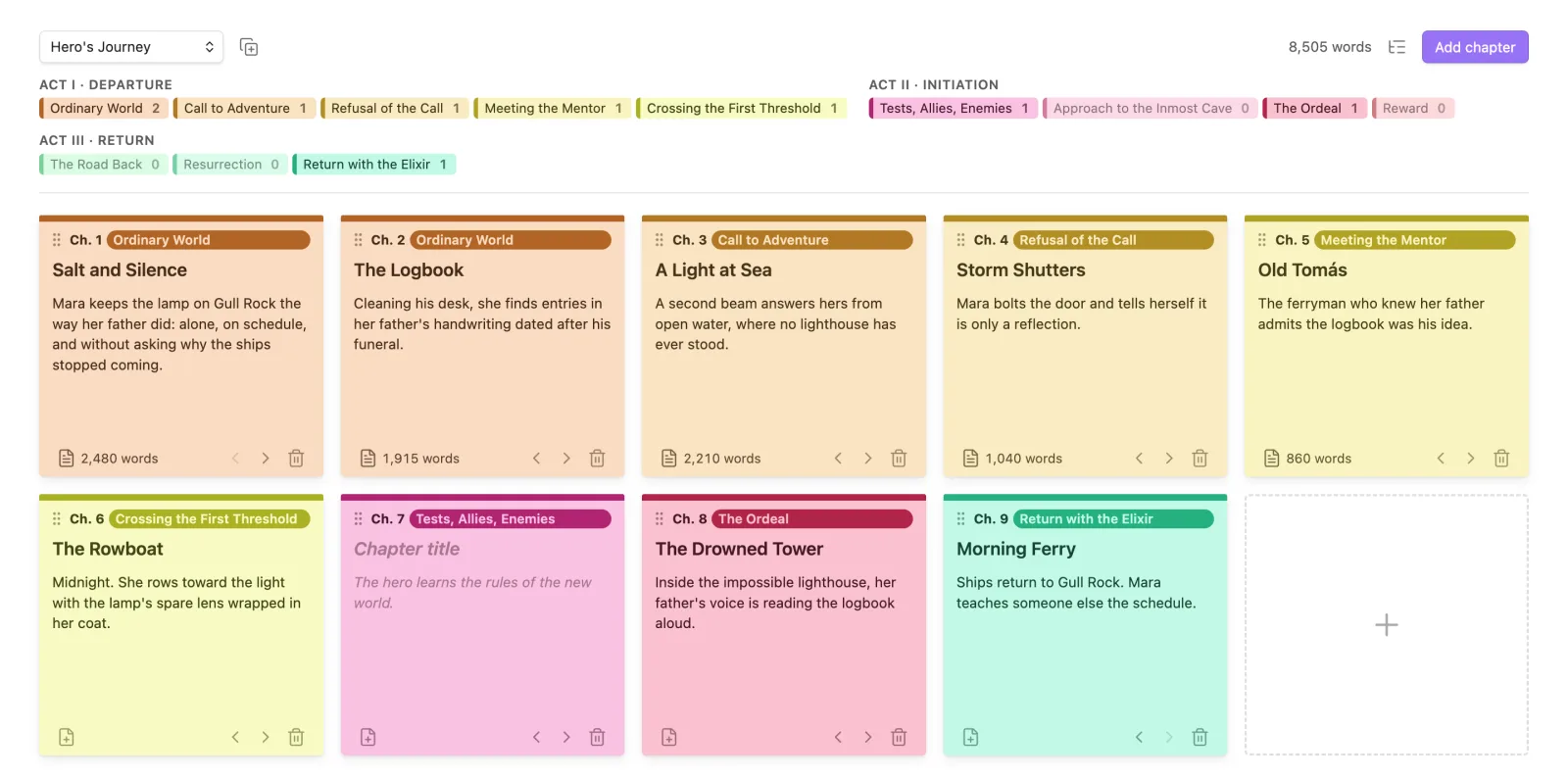
A Hero’s Journey board with nine chapter cards, colored yellow, pink and green by act, each with a title, summary and word count.
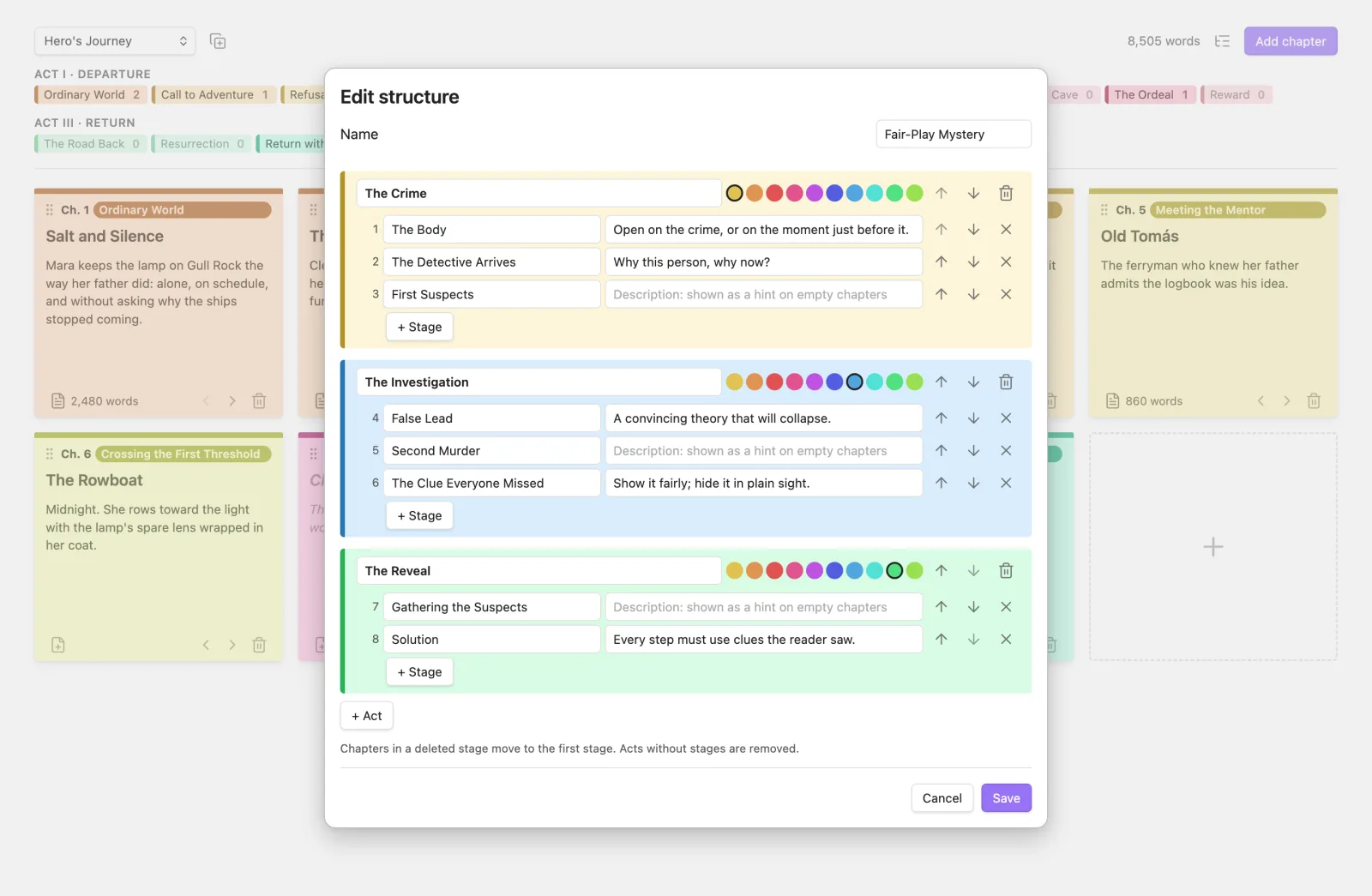
The structure editor: a custom mystery structure with three colored acts and their stages.
Build your own structure, or start from a copy of any built-in one.

Spanish Dialogue Dash

Spanish dialogue, with the right dashes

In Community plugins

Spanish marks dialogue with the raya (—), and the rules for spacing and punctuation around the narrator’s words are easy to get wrong. This plugin gets them right.

  • While you type: -Hola becomes —Hola, and -- becomes —.
  • Fix a whole chapter: one command fixes the spacing and punctuation of every dialogue line, following the usual style rules.
  • Hyphenated words, numbers, lists, links and code are left alone.
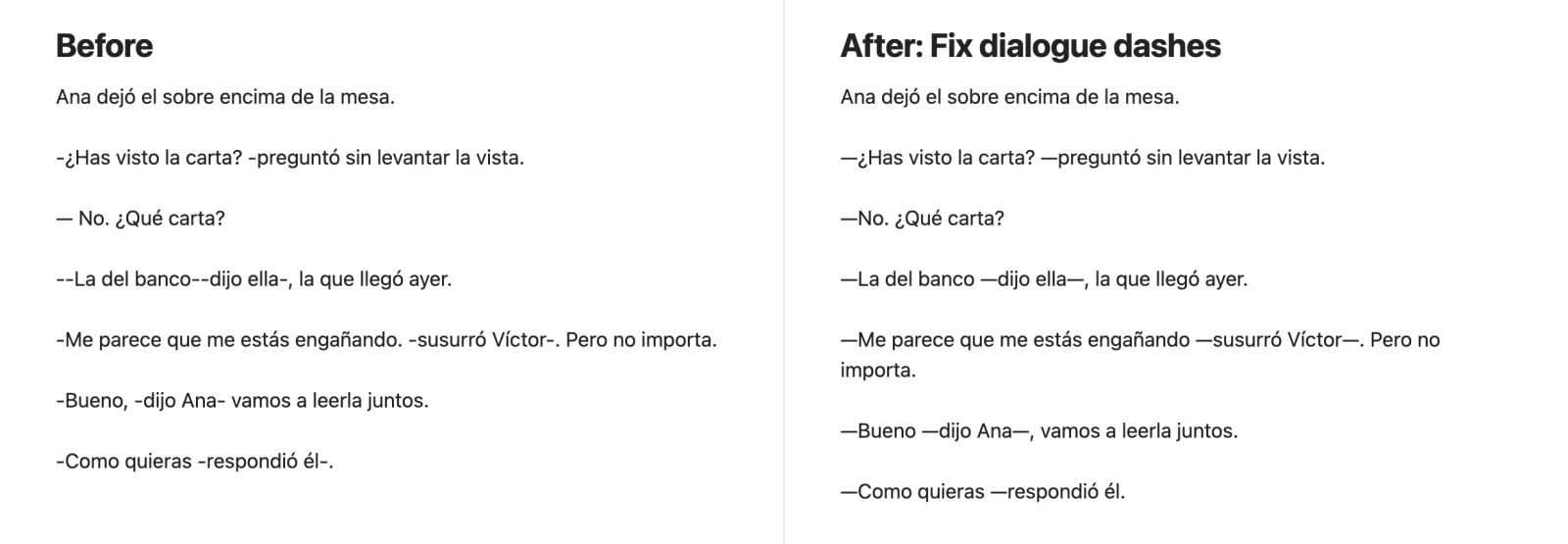
A note before and after running Fix dialogue dashes: hyphens become rayas, with the right spacing and punctuation.

Repeated Words

See the words you repeat, as you write

In Community plugins

Highlights words used again too soon, in English and Spanish, so you can vary them before a reader notices.

  • Smart about language: common words (the, with, para, como…) are never flagged, and casa/casas or house/houses count as the same word.
  • Your rules: within a few words, the same sentence or the same paragraph, and a list of words to ignore, such as character names.
  • Your style: a soft highlight or a wavy underline, in any color.
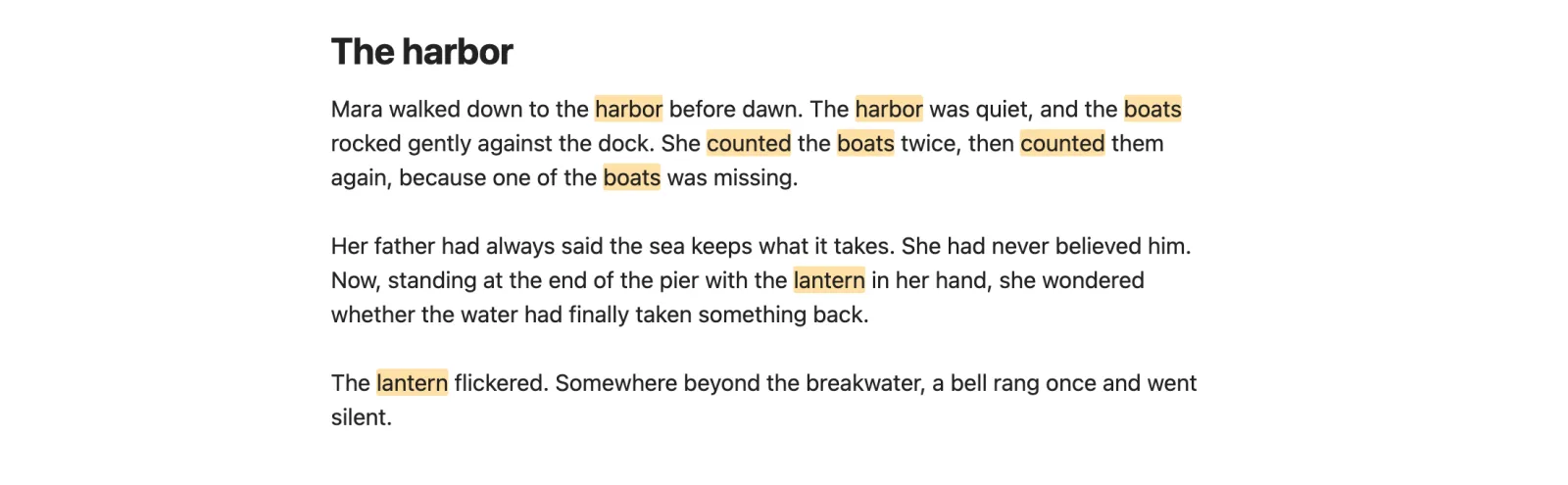
An English note with the repeated words harbor, boats, counted and lantern highlighted.
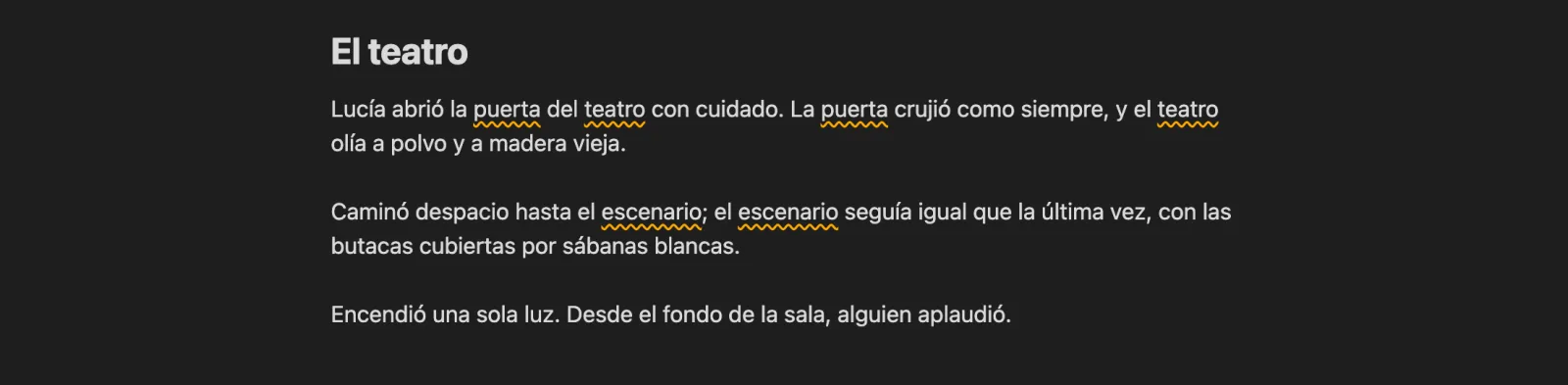
A Spanish note in dark mode with puerta, teatro and escenario underlined with a wavy line.
Wavy underline in dark mode, on a Spanish text.

How to install

  1. Click Get it in Obsidian, then Add to Obsidian. Or, in Obsidian, open Settings → Community plugins → Browse and search for the plugin’s name.
  2. Click Install, then Enable.
  3. Find its options in Settings, under the plugin’s name.

Prefer to install by hand? Each plugin’s GitHub page has the release files and the steps. Every release is built from its source on GitHub, with signed build attestations you can verify.